 JSON5 vs JSON6 Differences
Every verified difference between the two formats, and exactly what breaks when you move files in either direction.
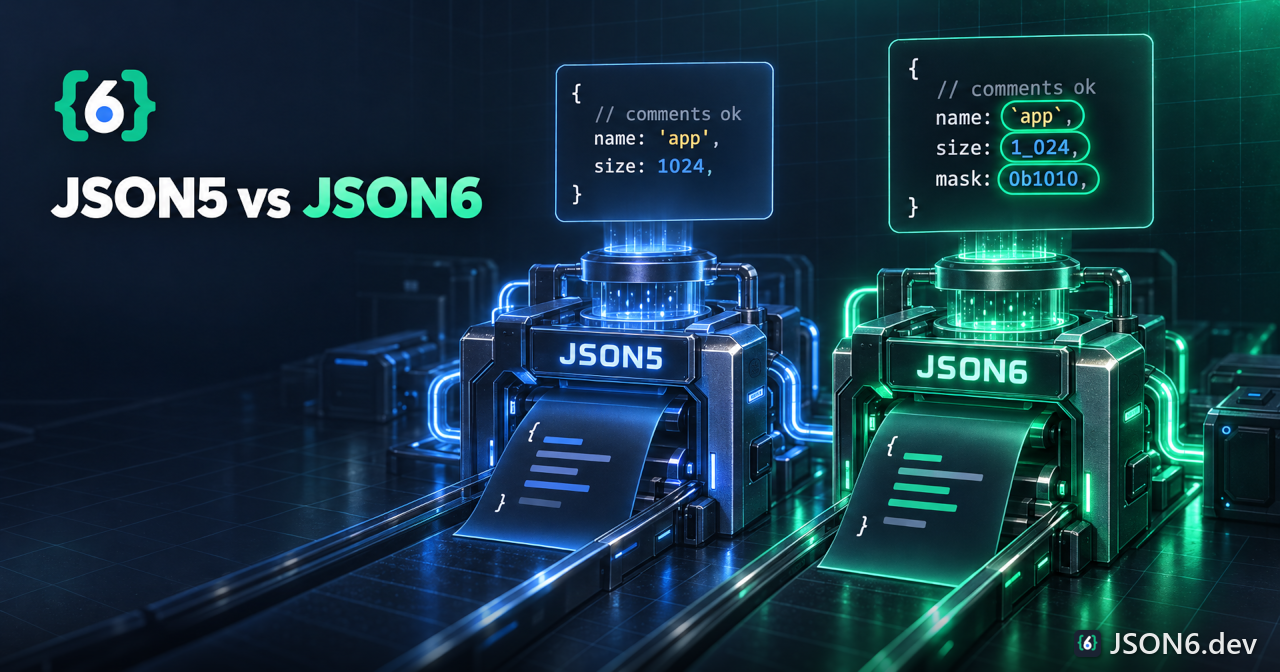
TL;DR: JSON6 accepts everything JSON5 accepts except three edge cases (Unicode space characters other than NBSP, decoded escapes in unquoted keys, and the __proto__ key), and it adds about a dozen features. So most JSON5 files load unchanged in JSON6, but a JSON6 file that uses any extension fails in a JSON5 parser. Compared on JSON5 2.2.3 and json-6 1.1.7.
How this comparison was made
The official JSON5 specification describes a strict subset-of-ECMAScript-5.1 format, with the reference parser published as the json5 npm package. JSON6 has no separate specification; its definition is the README and code of the json-6 package. To avoid comparing a spec to a README, every row below was produced by feeding the same input to JSON5 version 2.2.3 and to json-6 version 1.1.7 under Node.js and recording whether each parsed and what it returned. Rows that reflect a difference between the two parsers' behavior, not between written documents, say so.
Read "No" in the JSON5 column as "the json5 package throws an error for this input". Read "Yes" as "accepted with the same result". Where both accept an input but produce different results, the row says so in the notes.
The full difference table
Rows in the first group are features only JSON6 accepts. Rows in the second group are inputs where JSON5 accepts the input but JSON6 behaves differently or rejects it. The third group lists features both accept identically, to show how large the shared core is.
Accepted by JSON6 only
| Feature | Example | JSON5 | JSON6 | JSON6 result |
|---|---|---|---|---|
| Back-tick strings | `abc` | No | Yes | "abc" |
| Back-tick object keys | {`a`: 1} | No | Yes | {a: 1} |
| Literal newline in quoted string | 'a<LF>b' or "a<LF>b" | No | Yes | newline kept in value |
| Template text left alone | `a${x}` | No | Yes | "a${x}" |
| Long unicode escape | "\u{1F600}" | No | Yes | one emoji |
| Legacy octal-style escape | "\012" | No | Yes | NUL followed by "12" |
| Digit escapes 1 to 9 | "\1", "\8" | No | Yes | the digit character |
| Binary literal | 0b101 | No | Yes | 5 |
| Octal literal | 0o17 | No | Yes | 15 |
| Underscore separators | 1_000 | No | Yes | 1000 |
| Leading-zero decimal | 0123 | No | Yes | 123 |
| Multiple signs | --1, +-1 | No | Yes | 1, -1 |
| Space after a sign | - 1 | No | Yes | -1 |
| undefined keyword | undefined | No | Yes | undefined |
| Empty array members | [1,,2] | No | Yes | sparse array, length 3 |
| Lone comma array | [,] | No | Yes | sparse array, length 1 |
| Punctuation in bare keys | {a-b: 1}, {a.b: 1} | No | Yes | string keys |
| Numeric bare keys | {1: 1}, {0x10: 1} | No | Yes | source text as key |
| Empty bare key | {:1} | No | Yes | {"": 1} |
| Text after the first value | 1 2, [1] x | No | Yes | first value returned, rest ignored |
| Streaming reader | JSON6.begin(cb) | No | Yes | multiple values from chunks |
| Strict-subset mode | esStrictCompatible | No | Yes | opt-in narrowing |
| Parse options argument | parse(text, reviver, options) | No | Yes | four options |
Behaves differently or rejected by JSON6
| Input | JSON5 | JSON6 | Notes |
|---|---|---|---|
{\u0061: 1} | {a: 1} | key is the literal text \u0061 | JSON6 does not decode escapes in bare keys. |
{a\u0062: 1} | {ab: 1} | key is the literal text a\u0062 | Same. |
{__proto__: {x: 1}} | own key named __proto__ | sets the prototype | JSON6 result has no own keys and an inherited x. |
| Em space U+2003 between tokens | accepted | throws | JSON5 accepts any Unicode Zs space. JSON6 accepts only NBSP, BOM, VT, FF, LS and PS. |
| Ideographic space U+3000 | accepted | throws | Same cause. |
"a\<CR>b" (lone CR) | "ab" | a, then a backspace character | A json-6 1.1.7 bug; LF and CRLF continuations work. |
| Error object | SyntaxError with lineNumber and columnNumber | plain Error, position only in message | Code that tests instanceof SyntaxError misses JSON6 failures. |
| Number key default | not allowed | source text | normalizeNumericKeys converts to String(Number(key)). |
Identical in both
| Feature | Example | Result |
|---|---|---|
| Line and block comments | // c and /* c */ | ignored |
| Hash comments | # c | both throw |
| Unquoted identifier keys | {a: 1} | {a: 1} |
| Single-quoted strings | 'it"s' | string |
| Line continuation | "a\<LF>b" | "ab" |
| Trailing comma, object and array | {a: 1,}, [1,] | allowed |
| Hexadecimal | 0x1F, -0x10 | 31, -16 |
| Leading and trailing dot | .5, 5. | 0.5, 5 |
| Explicit plus | +1 | 1 |
| Infinity and NaN | -Infinity, NaN | accepted |
| VT, FF, NBSP, BOM, LS, PS whitespace | U+000B, U+000C, U+00A0, U+FEFF, U+2028, U+2029 | accepted |
| Unknown letter escape | "\q" | "q" |
| Keyword keys | {while: 1, null: 2} | string keys |
| Doubled comma in an object | {a: 1,, b: 2} | both throw |
| Required separator | [1 2], {a: 1 b: 2} | both throw |
| Empty document | | both throw |
Moving a file from JSON5 to JSON6
Most JSON5 files load in json-6 without change, because JSON6 intends to include "all features of JSON5". The only inputs that parse differently are the rare ones in the second table above. Check for them before you migrate:
- Unicode escapes in bare keys. A key written
awithout quotes silently changes name. Quote any such key ("a"decodes in JSON6) or write the character directly. This is vanishingly rare in real files. - A key named __proto__. Rename it, or avoid the data pattern entirely.
- Exotic Unicode spaces. A JSON5 file that contains U+2003, U+3000 or any other Zs-category space between tokens will fail. Replace those with ordinary spaces. A search for non-ASCII whitespace outside strings finds them.
- Strictness you were relying on. JSON5 rejects trailing text, doubled commas in arrays and unknown digit escapes, so malformed files fail loudly. JSON6 accepts all three, and a corrupted file may now parse into a different value instead of failing. The mitigation is the opt-in
esStrictCompatibleoption plus tests that check parsed values. - Error handling. Replace
catch (e) { if (e instanceof SyntaxError) ... }with a check that does not depend on the class, and read the line and column from the message text because JSON6 errors carry nolineNumberproperty.
Switching the code
// JSON5 const JSON5 = require('json5'); const data = JSON5.parse(text); const out = JSON5.stringify(data, { space: 2 }); // JSON6 const JSON6 = require('json-6'); const data = JSON6.parse(text); const out = JSON6.stringify(data, null, 2);The API shapes differ. JSON5.stringify takes an options object with space, quote and replacer; JSON6.stringify takes the same positional arguments as the native JSON.stringify, with an optional fourth options argument. The output differs too: JSON5 keeps insertion order, adds trailing commas when indenting and calls toJSON (dates become ISO strings); JSON6 sorts keys, never adds trailing commas, ignores toJSON (dates become {}), and writes holes as holes where JSON5 writes null. If you rely on dates being written, convert them yourself before calling JSON6.stringify.
The Node.js hooks have different names: JSON5 provides json5/lib/register, JSON6 provides json-6/lib/require for CommonJS and json-6/lib/register.mjs for ES modules. See the Node.js guide and the JSON5 migration tutorial.
Moving a file from JSON6 to JSON5 (or JSON)
This direction is where files break. Any of the first-table features in a JSON6 file makes a JSON5 or JSON parser throw. Because JSON6 files often use several at once, the dependable method is to parse with json-6 and re-serialize with the target format's own stringifier.
| If the file uses | Rewrite it as | Conversion fidelity |
|---|---|---|
| Back-tick strings and keys | Single or double quotes, escaping the quote character | Lossless |
| Literal newlines in strings | \n escapes, or a backslash continuation | Lossless if you keep the newline |
\u{...} | A surrogate pair of four-digit escapes, or the literal character | Lossless |
\012 and digit escapes | The intended characters | Review by hand |
| 0b, 0o | Decimal or 0x hex | Lossless |
| Underscores in numbers | Remove them | Lossless |
| Leading zeros | Remove them | Lossless |
| Multiple signs | The single resulting sign | Lossless |
undefined | Omit the key, or use null | Lossy by nature |
| Empty array members | null or remove the slot | Lossy: a hole is not null |
| Bare keys with punctuation or leading digits | Quote them | Lossless |
| Text after the first value | Delete it | Not representable |
| Streams of values | One file per value, or one array | Restructure |
// JSON6 -> JSON, keeping nothing the JSON data model cannot hold const JSON6 = require('json-6'); const fs = require('fs'); const value = JSON6.parse(fs.readFileSync('config.json6', 'utf8')); fs.writeFileSync('config.json', JSON.stringify(value, null, 2) + '\n'); // JSON6 -> JSON5 text const JSON5 = require('json5'); fs.writeFileSync('config.json5', JSON5.stringify(value, { space: 2 }) + '\n');The bundled command json-6 -c file.json6 does the first conversion for you: it parses with JSON6 and writes a sibling .json file using JSON.stringify with four-space indentation. The conversion has to be lossy in five predictable ways. Comments are dropped, because they never reach the parsed value. undefined object values disappear, and undefined array members become null. Holes become null. NaN, Infinity and -Infinity become null in JSON (JSON5 keeps them). Negative zero becomes 0.
Comments are the most common loss. If your JSON6 file is documentation as much as data, copy the comments into a separate file or keep the JSON6 source as the master and generate the JSON as a build step.
Behavioral differences beyond syntax
Syntax is only half the story. These differences affect programs that read the same file with either library.
| Area | JSON5 2.2.3 | json-6 1.1.7 |
|---|---|---|
| Specification | Published specification at json5.org, based on ECMAScript 5.1 | No separate specification; README and source are the definition |
| Maintainers and age | Large project, widely deployed in tooling | Single maintainer; five-year gap between 1.1.4 (2021) and 1.1.5 (2026-10-11) |
| Exports | parse, stringify | parse, stringify, escape, begin, stringifier, version |
| Streaming | None | JSON6.begin with write(), value(), reset() |
| Error type | SyntaxError with lineNumber, columnNumber | Error with a [line:column] suffix in the message |
| Trailing data | Throws | Ignored |
| stringify keys | Insertion order | Sorted unless sortKeys is false |
| stringify toJSON | Honored | Ignored |
| stringify holes | null | Written as holes |
| stringify quoting | Chooses the least-escaped quote | Always double-quoted; escapes single quote and back-tick |
| Indent trailing commas | Adds them | Never |
| Built-in CLI | json5 file.json5 converts to JSON | json-6 -c file.json6 converts to JSON |
| Editor and tool support | Wide: highlighters, linters, bundlers | Very little; see the editor page |
The last row is the practical deciding factor for many teams. JSON5 is understood by TypeScript, Babel, many bundlers and dozens of editor extensions. JSON6 is understood by one JavaScript package and one native addon from the same author. If other people or other tools must read the file, that gap usually outweighs the syntax features, and the comparison page and why page discuss the tradeoff directly.
FAQ
Is JSON6 a superset of JSON5?
Nearly. The README says JSON6 includes all features of JSON5, and in testing every JSON5 feature parsed identically except escapes in bare keys, the __proto__ key and Unicode space characters other than NBSP. So it is a superset for practical purposes but not strictly.
Will my JSON5 files work in JSON6 unchanged?
Almost always. Only files that use unquoted keys with escape sequences, a key named __proto__, or exotic Unicode spaces change or fail. Run your files through both parsers and compare the results to be sure.
Can a JSON5 parser read a JSON6 file?
Only if the file uses no JSON6 extensions. Back-ticks, 0b/0o numbers, underscores, leading zeros, undefined, empty array members, long unicode escapes and literal newlines in strings all cause a JSON5 syntax error.
Which should I choose, JSON5 or JSON6?
Choose JSON5 when other tools and people must read the file, because its ecosystem is much larger. Choose JSON6 when you control the whole toolchain and want its extra literal forms. See the comparison page for details.
How do I convert JSON6 to plain JSON?
Parse with json-6 and write with JSON.stringify, or run json-6 -c file.json6. Comments, undefined values and holes cannot survive the conversion.
Check a file against both formats
Use the validator and converter to see how your file parses and what a conversion would drop.