 JSON6 Objects and Arrays
Key forms, keyword keys, duplicate keys, numeric keys, trailing commas and the empty array members that only JSON6 allows.
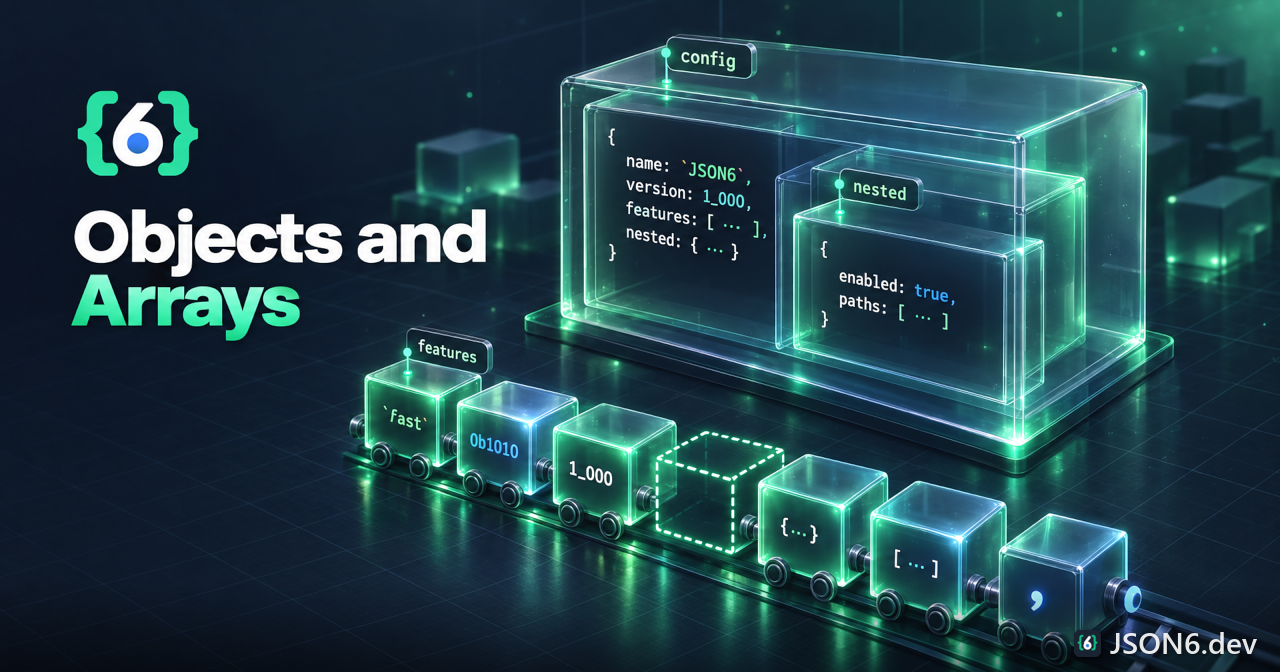
TL;DR: Object keys can be bare words, single-quoted, double-quoted or back-ticked, and a bare key may contain almost anything except whitespace, quotes, : , [ ] { } and a comment start. One trailing comma is fine, a doubled comma in an object throws, and in an array a doubled comma creates a hole: [1,,2] has length 3.
Object keys
JSON requires every key to be a double-quoted string. JSON5 allows keys that are ECMAScript identifier names, plus single-quoted strings. JSON6 allows four spellings, and the bare form is far more generous than JSON5's.
{ bare: 1, 'single quoted': 2, "double quoted": 3, `back-tick quoted`: 4, content-type: 5, feature.flag: 6, $price: 7, 123abc: 8, }All eight keys above parse. A key is always a string after parsing, whatever it looked like in the source. The values show the two rule sets in the README.
Unquoted keys
The README's rule is that an unquoted key may not contain :, ], [, {, }, ,, any quote character, or whitespace. Verified against the code, that is the full list plus one more case: a slash that begins a comment. Everything else is a legal bare key, including hyphens, dots, dollar signs, plus signs, digits in any position and non-ASCII letters.
| Input | Result | Why |
|---|---|---|
{content-type: 1} | {'content-type': 1} | Hyphens are fine, unlike JSON5. |
{a.b: 1} | {'a.b': 1} | Dots are fine. |
{$a: 1, _b: 2} | {'$a': 1, _b: 2} | Identifier characters work as expected. |
{é: 1} | {'é': 1} | Non-ASCII letters work. |
{a b: 1} | throws | Whitespace ends the key; the next word is unexpected. |
{a'b: 1} | throws "quote not at start of field name" | A quote may only start a key, never appear inside one. |
{a{b: 1} | throws | Brackets and braces end a key. |
{a,b: 1} | throws "excessive commas" | A comma ends a key and is read as a separator. |
{a/b: 1} | throws | The slash begins what looks like a comment. |
{a/*c*/: 1} | {a: 1} | A real block comment simply ends the key. |
{a: 1, b} | throws "Object field name with no value" | A key without a colon and value is an error (1.1.6). |
Unquoted keys do not decode escape sequences. {a\u0062: 1} produces a key that is the seven characters a\u0062, with the backslash intact. JSON5 would decode it to ab. If you need an escape in a key, quote the key. Under esStrictCompatible, a backslash in a bare key is rejected.
Quoted keys
Single-quoted keys are inherited from JSON5. Double-quoted keys are JSON. Back-tick keys are new: {`a b`: 1} gives the key "a b". Quoted keys can contain anything a string can, including escapes and the empty string, and they decode their escapes: {"\u0061": 1} is the key "a". Back-tick keys are rejected under esStrictCompatible because JavaScript object literals do not allow them.
Two oddities appeared in testing. First, an empty bare key is accepted: {:1} gives the key "" (the empty string), which JSON5 would reject. Second, a quoted key directly followed by bare characters is joined, so {'a'b: 1} yields the key "ab" rather than an error. Both are almost certainly typos in real files; the validator will not warn about either.
Keyword and reserved-word keys
Bare keys are not parsed as values, so the keyword spellings are ordinary key names. The README says so directly: "keywords will be interpreted as strings." JavaScript reserved words are fine too, with no need for the quoting that some JSON5 implementations suggest.
{ true: 1, false: 2, null: 3, undefined: 4, NaN: 5, Infinity: 6, while: 7, class: 8, function: 9, }Parsing that gives an object with nine ordinary string keys. The keys Infinity and NaN do not become numbers, because object keys are always strings. Each can still be read as obj.NaN or obj["Infinity"]. Values on the right of a colon, of course, are real keywords: {a: undefined} puts the JavaScript undefined value under a.
Numeric keys and normalizeNumericKeys
A bare key that is a number is stored as its source text. {1e3: true} gives "1e3", while JavaScript's own object literal gives "1000". Plain integers behave identically in both, so {1: "a"} gives "1". The option normalizeNumericKeys, added in 1.1.6, converts such keys with String(Number(key)) so the two agree.
| Source key | Default | normalizeNumericKeys |
|---|---|---|
1 | "1" | "1" |
1e3 | "1e3" | "1000" |
0x10 | "0x10" | "16" |
.5 | ".5" | "0.5" |
0123 | "0123" | "123" |
1_000 | "1_000" | "1000" |
0b11 | "0b11" | "3" |
"1e3" (quoted) | "1e3" | "1e3" (quoted keys are never normalized) |
Because JavaScript objects order integer-like keys first and in ascending order, {b: 1, 2: 1, a: 1, 1: 1} yields the key order 1, 2, b, a. That is JavaScript behavior, not JSON6 behavior, and it applies to every JSON parser. If order matters, put the data in an array of pairs.
Duplicate keys
Duplicate keys are not an error. The last one wins, with no warning, exactly like JSON and JSON5. The key keeps the position it had when first inserted.
JSON6.parse('{a: 1, b: 2, a: 3}') // { a: 3, b: 2 } keys: a, b JSON6.parse('{a:1, "a":2, a:3}') // { a: 3 } bare and quoted are the same keyThe README says nothing about duplicates, so this is observed behavior. Because configuration files are edited by hand, a duplicate is a common accidental override. If you want to detect them, run the file through a linter that understands the format, or parse with a reviver that tracks keys, because the parsed object no longer contains the earlier value. Remember that a bare a, a quoted "a" and a back-ticked key all name the same property.
The __proto__ key
One key behaves differently from every other. Parsing {__proto__: {x: 1}, a: 1} does not create an own property named __proto__. It sets the prototype of the result, so the result has the single own key a and an inherited x equal to 1. Quoting the key makes no difference. A non-object value, as in {"__proto__": 1}, is ignored and the key vanishes. JSON5's parser creates an ordinary own property for the same input.
This changes the parsed object only. We verified that Object.prototype is not modified and that the result is not Object.prototype. Even so, if you merge untrusted JSON6 into another object with a recursive merge, strip or reject the __proto__ key first. See the FAQ for more on safety.
Trailing and empty members in objects
An object may end with one trailing comma. Any other empty slot between commas is an error, and the error is explicit.
| Input | Result |
|---|---|
{a: 1, b: 2,} | {a: 1, b: 2} |
{} | {} |
{,} | throws "bad context; excessive commas" |
{a: 1,, b: 2} | throws "bad context; excessive commas" |
{,a: 1} | throws "bad context; excessive commas" |
{a: 1 b: 2} | throws (a separator is required) |
{a: } | throws "close with no value" |
{a: 1; b: 2} | throws (semicolons are not separators) |
Objects, unlike arrays, do not get holes. The README states it directly: "Excessive commas in objects will cause an exception." If you want a key with no value, write {a: undefined} or {a: null}.
Arrays: trailing commas and empty members
Arrays follow the same one-trailing-comma rule, then go further. Where an object treats a doubled comma as an error, an array treats it as an empty slot. This is the "empty array members" feature in the JSON6 feature list, and it matches how JavaScript array literals behave.
| Input | Length | Contents |
|---|---|---|
[] | 0 | empty |
[1, 2,] | 2 | One trailing comma is ignored: 1, 2 |
[1,,2] | 3 | 1, hole, 2 |
[,] | 1 | one hole |
[,,] | 2 | two holes |
[,,,] | 3 | three holes |
[1,,] | 2 | 1, hole |
[1, 2,,] | 3 | 1, 2, hole |
[,1] | 2 | hole, 1 |
[,,1] | 3 | hole, hole, 1 |
[1,/*x*/,2] | 3 | A comment between commas does not fill the slot. |
The counting rule is simple. Treat the commas as separators between slots; the slot after the final comma is ignored if it is empty. So the length is the number of commas when the last slot is empty, and one more than that when the last slot has a value. This matches the README: "If more than 1 [trailing comma] is found, additional empty elements will be added."
Holes versus undefined
An empty member is a hole in a sparse JavaScript array, not the value undefined. After const a = JSON6.parse("[1,,3]"), a.length is 3, 1 in a is false and Object.keys(a) is ['0', '2']. By contrast [1, undefined, 3] has index 1 present with the value undefined. Methods like forEach and map skip holes but visit explicit undefined, so the two forms behave differently downstream. Native JSON.stringify writes a hole as null, so JSON.stringify(a) gives [1,null,3] and the information is lost.
JSON6.stringify preserves holes. It writes [1,,3] for a sparse array, writes [1,,] for a trailing hole so that the length survives a round trip (fixed in 1.1.6), and writes explicit undefined as the keyword undefined. Only JSON6 and JavaScript can read those forms back; JSON and JSON5 cannot. Moving them to JSON5 is covered on the differences page.
Writing objects and arrays with stringify
The output rules matter for round trips. JSON6.stringify(value, replacer, space, options) writes keys that are valid identifiers without quotes (reserved words included, so while: 3 is written bare), quotes every other key with double quotes, and sorts keys by default. The README's sortKeys option, default true, turns the sort off when set to false.
| Value | Output | Note |
|---|---|---|
{b: 1, a: 2} | {a:2,b:1} | Keys sorted by default. |
{b: 1, a: 2} with sortKeys: false | {b:1,a:2} | Own key order kept. |
{"c-d": 1, "1a": 2, "": 3} | {"":3,"1a":2,"c-d":1} | Non-identifier and empty keys are quoted. |
{ok: undefined} | {} | An undefined value drops the key, like native JSON. |
[undefined] | [undefined] | Inside arrays undefined is written as itself. |
new Date(0) | {} | toJSON is not consulted; dates, maps and sets become empty objects. |
class instance {x: 1} | {x:1} | Own enumerable properties only; non-enumerable ones are skipped. |
space = 2 | two-space indent | No trailing commas are emitted, and a space number above 10 is not clamped. |
A circular reference does not produce a helpful error: JSON6.stringify on a self-referencing object overflows the stack with a RangeError. The parser, by contrast, is iterative and handled 100,000 levels of array nesting in our test without trouble. If you need cyclic references, dates or maps, that is exactly the territory of JSOX, mentioned on the specification overview.
FAQ
Do JSON6 object keys have to be quoted?
No. Bare keys are allowed and may contain hyphens, dots and dollar signs. Only whitespace, quotes, colons, commas, brackets, braces and a comment-start slash are forbidden. Keys that contain those need single, double or back-tick quotes.
What happens with duplicate keys?
The last value wins and there is no error or warning. The key keeps the position of its first occurrence. Bare, single-quoted, double-quoted and back-ticked spellings of the same name are the same key.
Can an array have empty elements in JSON6?
Yes. [1,,2] is a three-element sparse array with a hole at index 1. A single trailing comma is ignored, so [1,2,] has two elements. Objects never get empty members and throw on a doubled comma.
Is it safe to use __proto__ as a key?
Do not. JSON6 sets the prototype of the parsed result instead of creating a property. It does not change Object.prototype, but treat it as a prototype-pollution hazard if you merge parsed data into other objects.
Why is my numeric key "1e3" instead of "1000"?
By default an unquoted numeric key keeps its source text. Pass the normalizeNumericKeys: true parse option (json-6 1.1.6 and later) to get String(Number(key)), which matches a JavaScript object literal.
See how your objects parse
Paste an object with bare, quoted and back-tick keys into the validator.